Insparisk
← Back to Command Start Free

See Command Build in Action

Real screens, real workflows. Six short walkthroughs of capital-project compliance in Insparisk Command — from DOB permit tracking to the one-click closeout package.

Featured · 2:24

Every DOB Permit, Tracked Automatically

Elevator (VT) and electrical (EL) permits tracked separately with DOB job numbers, one-click dismissal of unrelated auto-pulled filings, and a board-ready permit status report emailed straight from Command.

Watch the full series

Five more walkthroughs: the end-to-end tour, verified BIN building setup, objection sheet AI, compliance rules, and the one-click closeout package. Enter your work email to unlock them all.
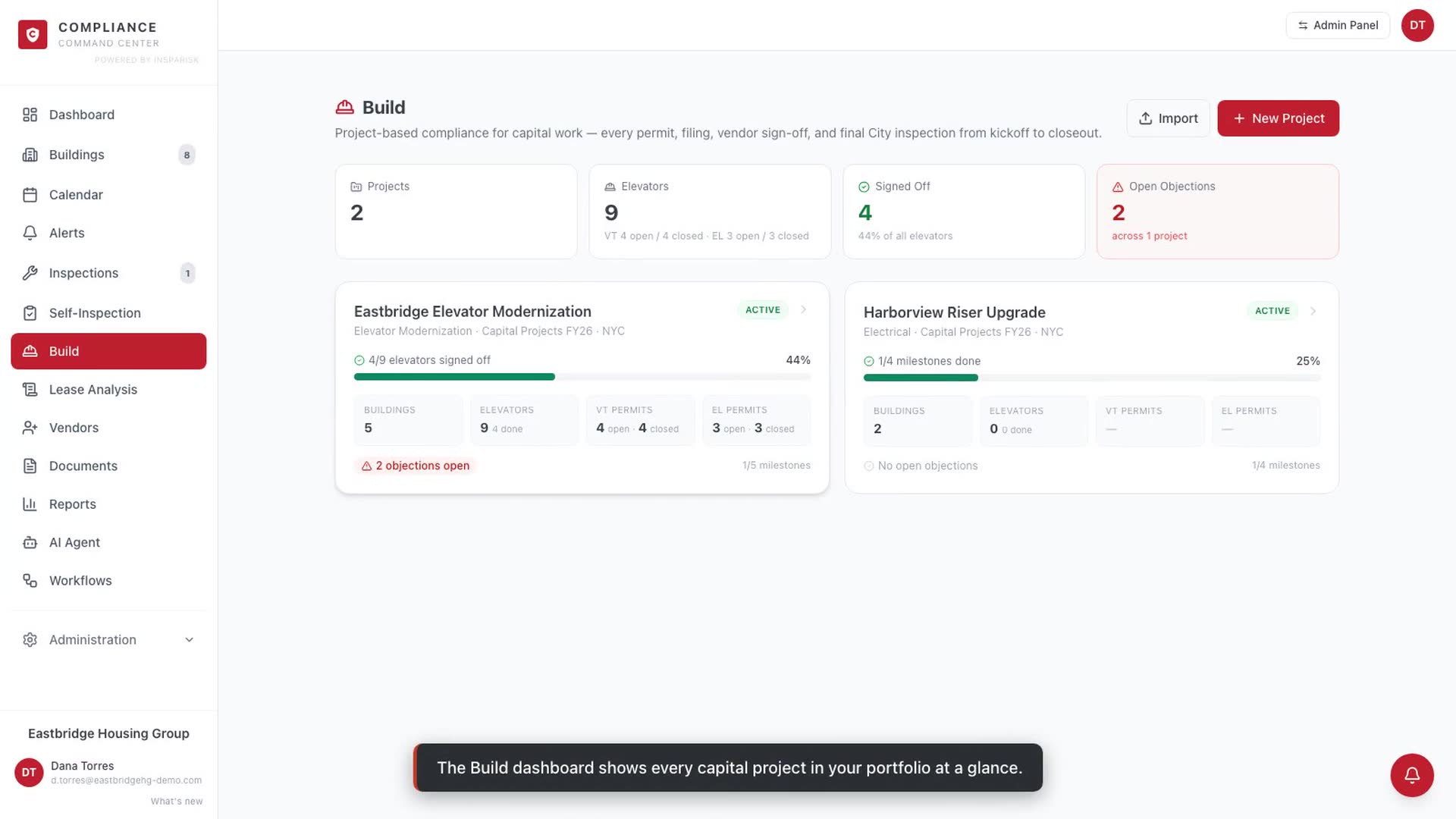
Build end-to-end tour

End-to-End Tour 1:58

Portfolio dashboard, project workspace, DOB sync, milestone chain, and per-elevator workflows.

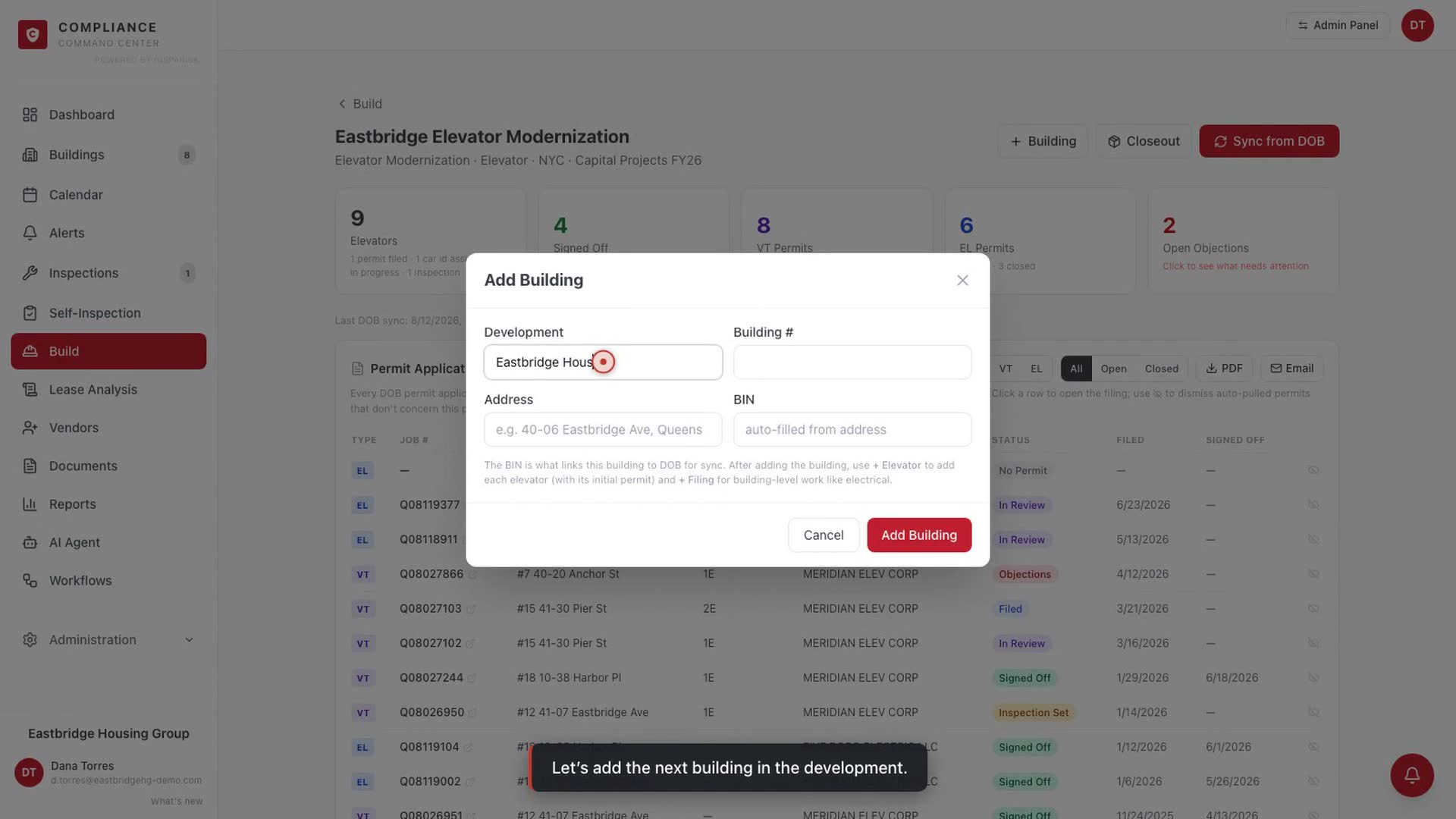
Adding a building with verified BIN lookup

Verified BIN Building Setup 1:18

Type an address, get the official DOB record. The verified BIN drives all DOB sync.

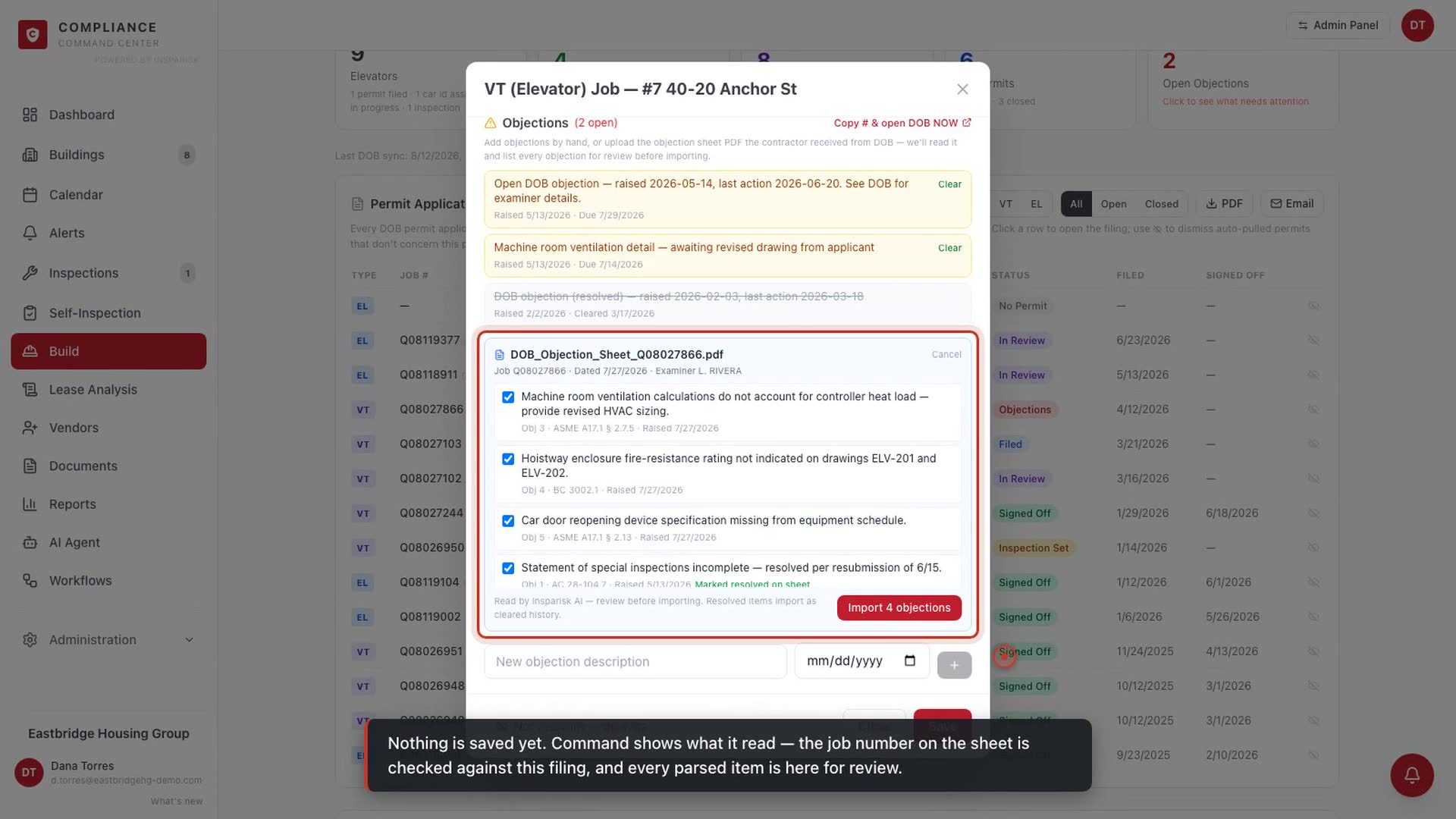
Objection sheet upload and AI interpretation

Objection Sheet AI 1:35

Drop in the examiner's objection sheet PDF; it becomes a structured, trackable objection log.

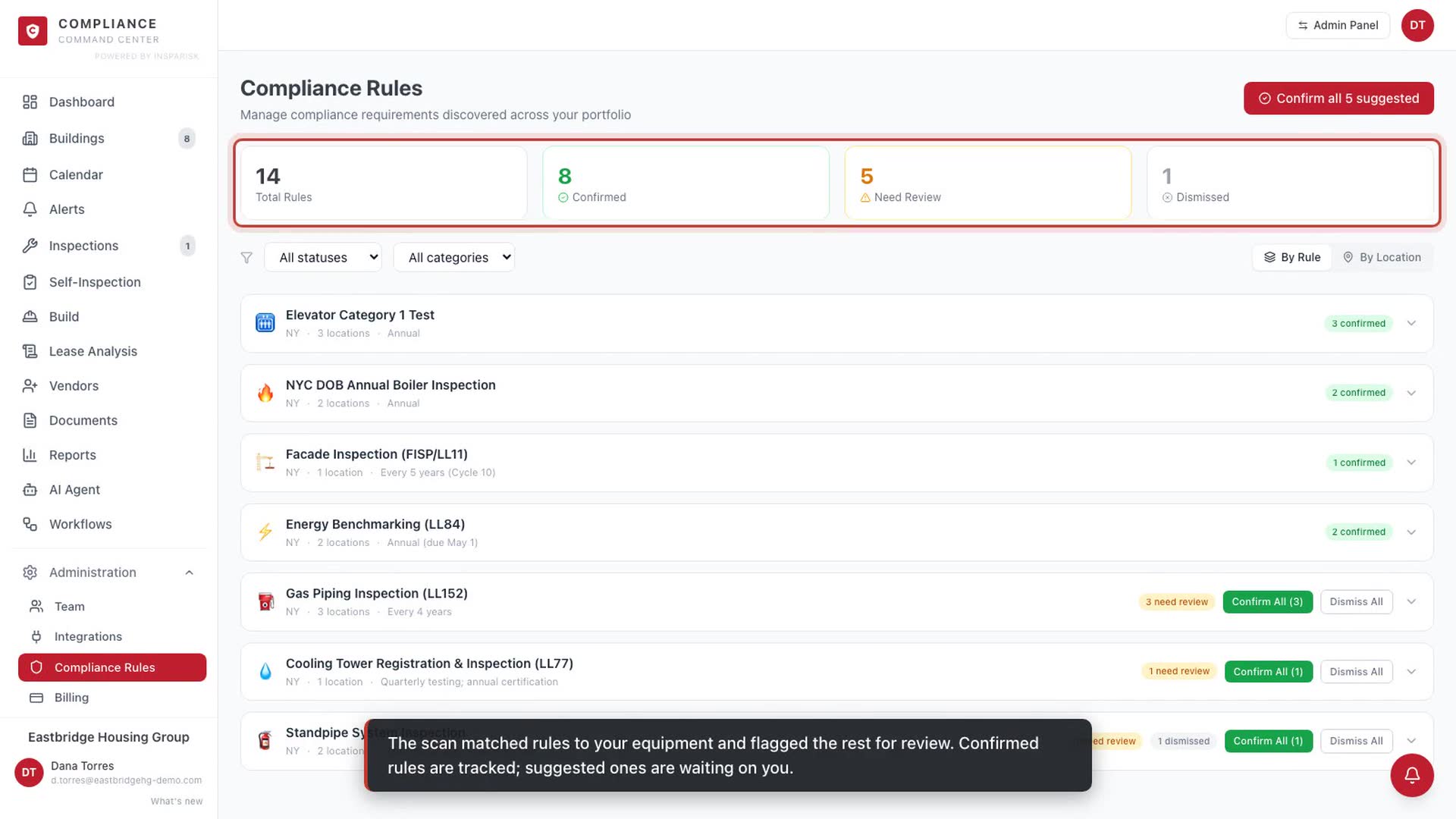
Compliance rules discovery and calendar

Compliance Rules & Calendar 1:25

Rules discovered from city data, confirmed in bulk, deadlines on a subscribable calendar.

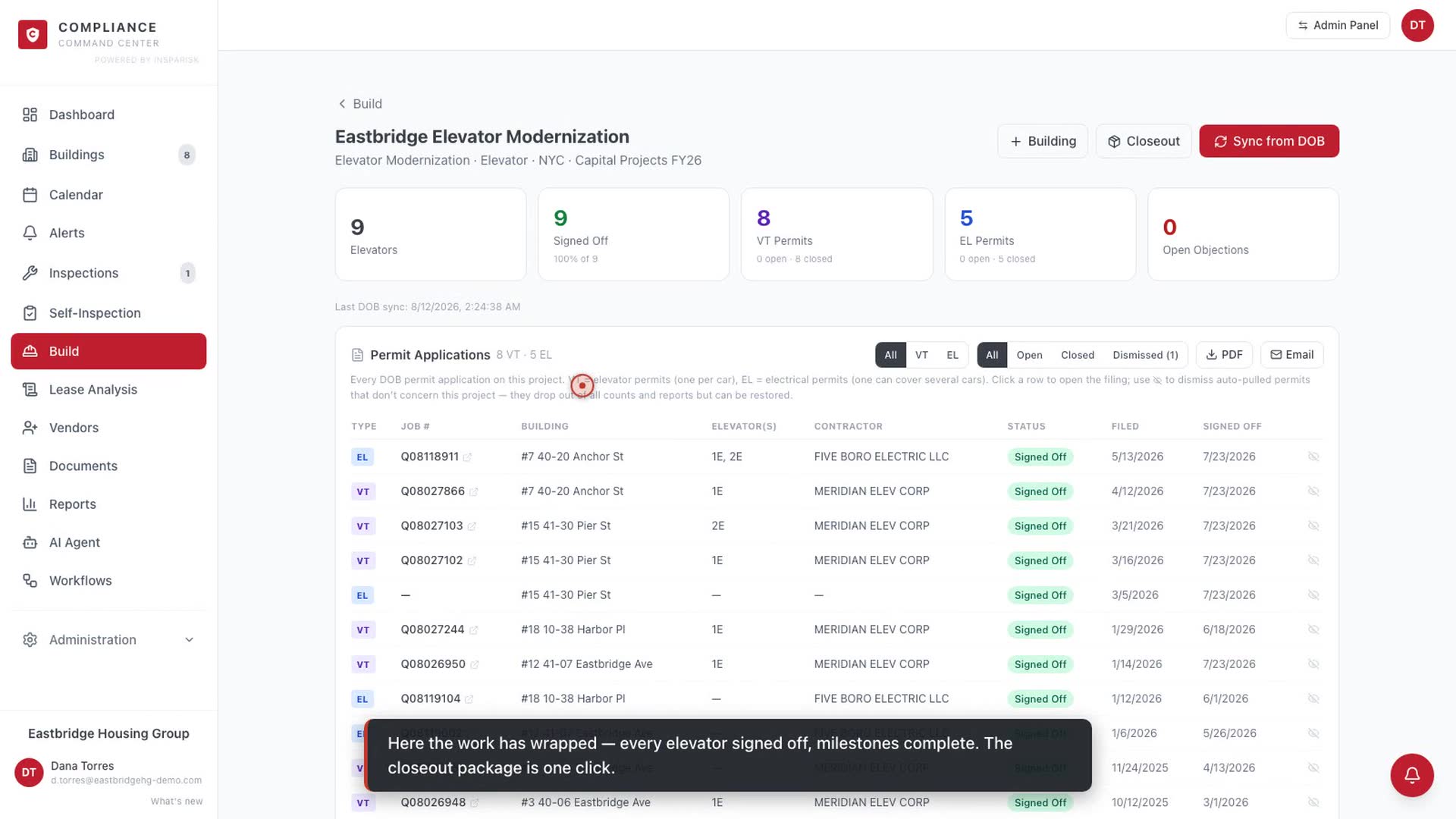
Documents and one-click closeout package

One-Click Closeout 1:01

Milestones, permit history, documents, and sign-offs compiled into a handoff-ready package.

Ready to see it with your buildings?

Start free, or book a live demo and we will walk through your own portfolio.